


HD Cam Pro-Professional Camera
3.7137.00 Reviews
App Specs
- Version
- 3.3.8
- Updated On
- License
- Free
- Downloads
- 10,000,000+
- Developer
- Dijital Elma
- Categories
- Photography
- Platform
- Android, iOS
Screenshots
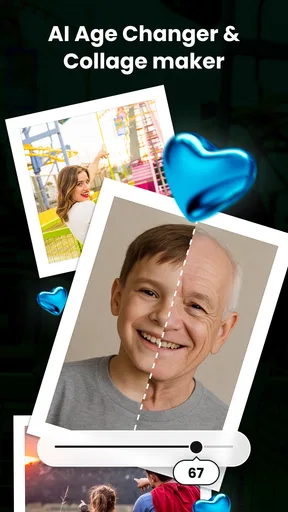
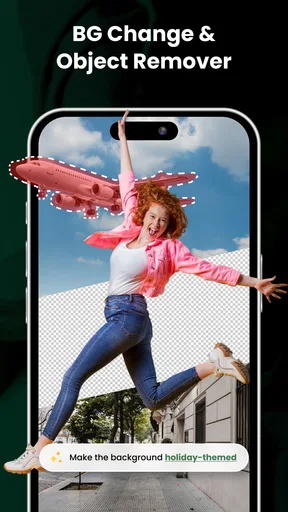
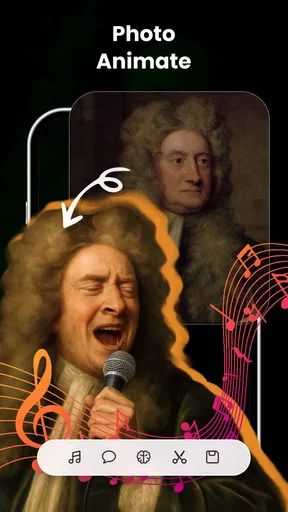


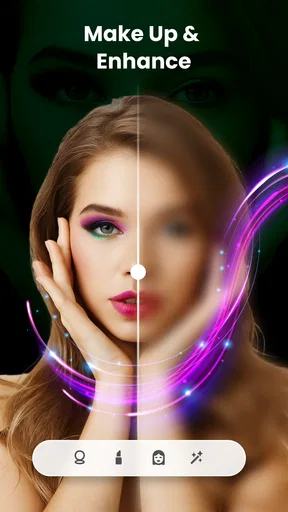

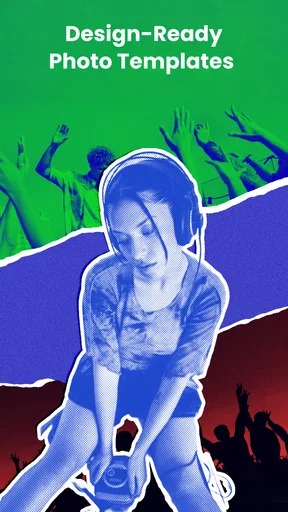
 Analysis by AppCompare
I spent time using HD Cam Pro-Professional Camera as a photography app, and my overall impression is that it tries to cover two jobs in one place: taking sharper-looking photos and giving them a quick visual makeover afterward. That combination makes it more interesting than a basic camera replacement, especially if you regularly edit images for social posts, profile pictures, product listings, or casual creative projects.
The app is developed by Dijital Elma and is available for free, with optional in-app purchases ranging from $4.99 to $39.99 per item. That distinction matters: you can try the central experience without paying, but the final value depends on whether the free tools are enough for your routine or whether the extra editing options become important. I would not treat it as a guaranteed replacement for every camera and editing app, but it is a practical option for Android users who prefer a single workspace.
How the camera and editing workflow feel in everyday use
The most useful idea here is the handoff between capture and correction. Instead of taking a picture in the phone’s standard camera, opening a separate editor, finding a filter, and then looking for a background tool elsewhere, this app is designed around keeping those steps together. The store summary highlights a Full HD camera, photo-editing filters and effects, and background changing and removal, so the appeal is less about one specialist function and more about a compact photography workflow.
In my experience, that kind of arrangement is best when speed matters more than deep control. Imagine photographing a small item before listing it online. I could take the picture, apply a cleaner look, and work on the background without moving between several apps. That saves the small amounts of time that usually get lost in exporting, reopening files, and remembering which editor contains a particular tool.
The camera side is aimed at people who want a straightforward way to make photos look more polished. The Full HD positioning suggests a useful level of everyday output rather than a professional camera replacement. Your phone’s lens, lighting, focus behavior, and image processing still have a major effect on the result. An app can provide a convenient interface and editing options, but it cannot turn a basic sensor into a dedicated camera.
The editing side is where the app becomes more distinctive. Filters can help when a photo looks flat or inconsistent with the rest of a collection, while effects are useful for a more noticeable visual change. I would use them lightly for family pictures and stronger settings for social graphics. A common mistake with quick-edit apps is applying a dramatic effect before checking the original image carefully. With this one, I recommend first correcting the overall appearance, then testing the filter, and only afterward deciding whether a background change is actually needed.
Background removal and replacement are particularly useful for portraits, simple product shots, and profile images. They are not equally suitable for every photograph. Hair, transparent objects, leaves, wires, and busy edges are difficult subjects for almost any automatic cutout process. If the subject has a clear outline against a contrasting background, the result is more likely to look convincing. If the scene is crowded or poorly lit, I would expect to spend more time checking the edges rather than accepting the first result.
Worth Reading Before You Choose

EA SPORTS FC Mobile 26 Is a Bigger Football Game, but It Takes Time

Flipboard Shows What News Apps Must Do Beyond the Feed

Switching to Android Auto Means Rethinking Your Driving Routine

Google Calendar Makes a Crowded Week Easier to Manage

Ludo King Makes the Most of the Minutes Between Plans

Baby Panda World Brings Quick Play to Modern Phones, but Its Game Library Feels Busy
That is one of the app’s less obvious trade-offs: putting the tool in the same photography package is convenient, but convenience can make people overlook the need for a final inspection. A background swap may look fine at thumbnail size and reveal rough edges when viewed larger. I would zoom in around hair, shoulders, fingers, and object corners before sharing the finished image.
What the free access means in practice
The app is free to install and use, which makes it easy to test without committing money first. That is important for this type of tool because editing quality is personal. One person may like the available filters immediately, while another may find the camera experience too close to the phone’s built-in option. I would install it, try the same subject under the same light with both cameras, and then compare the editing workflow rather than judging it from a single dramatic sample.
Optional purchases are listed at $4.99 to $39.99 per item. I would read that range as a reason to explore the free experience carefully before buying anything. The lower end may feel reasonable if a particular paid function becomes part of your regular workflow, but the higher end deserves a more deliberate decision. Since the app’s basic appeal is convenience, the purchase only makes sense if it removes a repeated obstacle or gives you editing control you genuinely use.
I also like that the pricing question can be approached without confusing “free to try” with “everything included.” The free version gives you a chance to assess the camera, filters, effects, and background workflow, while the optional purchases create a separate value decision. If you only edit a few pictures each month, a free setup may be sufficient. If you prepare images often and find yourself returning to the same advanced options, paying can be easier to justify than maintaining several separate tools.
I would not buy an item simply because it promises a more impressive-looking result. Before spending, I would test whether the free tools already handle the photos I actually take: indoor portraits, quick outdoor snapshots, product images, or social media graphics. The right question is not whether the app contains attractive effects, but whether it reduces work in your own routine.
Where it compares well with the usual alternatives
The obvious alternative is the camera already installed on your phone. That built-in option may be faster to open, more closely integrated with the device, and better tuned to the phone’s own hardware. For spontaneous family photos or scenes where you want the phone to handle everything automatically, I would still start there. The reason to choose this app instead is the editing path that follows capture, especially when filters, effects, or background changes are part of the same task.
A second alternative is a dedicated photo editor. Specialist editors often make more sense for people who need detailed adjustments, layered compositions, precise retouching, or repeatable professional workflows. I would choose one of those when image quality depends on fine control rather than quick results. HD Cam Pro-Professional Camera is more appealing when I want a shorter path from taking a picture to producing something shareable.
There is also a middle ground: using the standard camera and a separate background-removal service. That approach can be stronger when background work is the central purpose, particularly for a large batch of product images. The drawback is the extra movement between apps and files. This app’s advantage is not necessarily that every individual tool will beat a specialist; it is that the tools are gathered around one simple photography task.
For casual creators, that balance is meaningful. A student making a presentation image, a small seller preparing a clean product photo, or someone creating a new profile picture may not want to learn a full editing suite. The app can make those jobs feel less fragmented. On the other hand, a photographer who already has a carefully organized editing process may gain little from changing tools.
Small workflow choices that improve the results
I found three practical habits especially useful for this kind of app. First, I would capture several versions of a subject instead of relying on one frame. A background tool can improve separation, but it cannot rescue an expression, pose, or focus problem that was already present when the picture was taken.
Second, I would keep the original image untouched until the final version has been checked. Background changes and strong effects can make an image feel finished quickly, but keeping a clean source gives you room to try a different look later. This is particularly important when the same photo may be needed for both a personal post and a more neutral listing.
Third, I would judge filters at the size where the image will actually be seen. A filter that looks attractive full-screen may make skin tones too artificial in a profile image, while a subtle effect may work better once the picture is reduced for a post. This is a simple step, but it prevents the common problem of editing for the preview rather than the final use.
A fourth useful habit is to choose the replacement background before editing the subject too heavily. If you brighten or colorize the person first and then place them against a different scene, the tones may no longer match. A more natural order is to establish the new setting, inspect the edges, and then make restrained adjustments so the subject and background feel connected.
These are not complicated techniques, but they reveal the app’s best role. It is most effective as a quick production tool, not as a place to endlessly experiment with every possible effect. The more clearly I define the final purpose before editing, the more useful the combined camera-and-editor design becomes.
Limitations worth considering before installing
The average rating is 3.7 from around 14 thousand ratings, with over 10 million installs and 137 written reviews. Those figures suggest that the app has reached a broad Android audience, but they also show why I would keep expectations measured. Popularity does not guarantee that the interface, output, or purchase options will suit every user.
The first limitation is hardware dependence. Results can vary considerably from one Android phone to another because the camera sensor and system image processing remain central to the final picture. If your phone already produces excellent images through its native camera, the app’s biggest benefit may be editing convenience rather than a dramatic improvement in capture quality.
The second is the difference between a quick effect and a controlled edit. Filters and effects are easy to understand, but they can reduce the natural look of a photo when used heavily. Background removal has a similar limitation: it is useful for clear subjects, yet difficult edges need attention. Anyone expecting automatic professional compositing should approach it cautiously.
The third is the cost boundary. Free access is helpful, but optional purchases mean that the full experience may require a closer look at what is included before committing. The listed price range goes as high as $39.99 per item, so I would not assume that every attractive tool is part of the no-cost experience. For occasional editing, the free side may be enough; for frequent work, the purchase decision should be based on repeated use rather than curiosity.
I would also skip it if my priority is advanced manual photography control, extensive retouching, or a highly predictable professional color workflow. A dedicated camera application or full editor is likely a better match in those situations. This app is not a universal answer simply because it combines several functions.
Who is likely to get the most value?
I think the strongest audience is made up of people who take ordinary phone photos but often need to make them presentable afterward. That includes users creating profile images, casual sellers preparing listings, students making visual materials, and social media users who want consistent-looking pictures without learning a complex editor.
It is also a sensible choice for someone who dislikes managing several photography apps. The single-workflow approach can reduce friction when the job is simple: take a picture, improve its mood, adjust the background, and share it. The app’s Everyone age rating also makes it broadly approachable for general users, although the quality of the outcome still depends on the subject and the person doing the editing.
I would be less enthusiastic for a professional photographer, a person processing large batches, or anyone who needs exact control over every stage. Those users may value specialized tools more than convenience. The same is true for someone who only wants a camera and never edits; the built-in phone camera may be quicker and more familiar.
Compatibility is straightforward for many Android users because the minimum operating system is Android 7.0. The current version is 3.3.8, so I would still check that the app behaves well on your particular phone before building an important workflow around it. Testing your own camera, lighting conditions, and typical subjects will tell you more than a generic promise of high-definition output.
My recommendation after weighing the cost and trade-offs
I recommend trying HD Cam Pro-Professional Camera if you want a free photography app that combines camera access with filters, effects, and background work. Its value comes from reducing the number of steps between taking a picture and making it usable. For everyday portraits, simple product images, and quick social content, that convenience can be more important than having the deepest editing controls.
I would keep the free experience as the starting point and treat the optional purchases as a separate decision. The listed purchase range is broad enough that I would only pay after identifying a tool I use repeatedly and confirming that it improves a real task. That approach protects the main advantage of the app: accessible experimentation without an immediate commitment.
My final verdict is a qualified recommendation. Choose it when you want an all-in-one Android photography workflow and are comfortable checking background edges and keeping effects under control. Skip it when your phone’s native camera already satisfies you, when you need professional-level manual adjustments, or when a specialist editor would save more time. For the right user, the strongest value is convenience rather than a promise of studio-grade results, and that is a fair reason to give this free app a careful try.
Pros
- Manual control over ISO
- shutter speed
- focus
- and white balance.
- Supports high-resolution photo and video capture on compatible devices.
- Useful grid and level tools help improve framing and composition.
- Offers a more camera-like shooting experience than most default camera apps.
- Quick access to exposure adjustments makes on-the-go shooting convenient.
Cons
- Some features may be unavailable on phones without compatible camera hardware.
- Image quality still depends heavily on the device’s camera sensor.
- Manual controls can feel overwhelming for casual smartphone photographers.
- Advanced video options may vary across Android and iOS devices.
- The interface may require practice before settings can be changed quickly.
FAQs for HD Cam Pro-Professional Camera
What is HD Cam Pro-Professional Camera, and who is it designed for?
HD Cam Pro-Professional Camera is a mobile photography app that aims to provide more manual control than a standard phone camera. It is mainly suited to users who want to adjust settings such as exposure, focus, white balance, ISO, or shutter speed, depending on the device. Beginners can use its automatic mode, while photography enthusiasts may appreciate the additional controls and shooting flexibility.
Does HD Cam Pro-Professional Camera work on every Android or iOS device?
The app’s available features depend heavily on the phone or tablet’s camera hardware, operating system, and manufacturer restrictions. Some devices may support advanced controls, while others may limit options such as manual focus, RAW capture, high-resolution output, or exposure adjustment. Before downloading, check the app-store compatibility information and confirm that your device supports the camera functions you want to use.
Can I take professional-quality photos with HD Cam Pro-Professional Camera?
The app can help produce better results when you understand manual photography, but it cannot overcome limitations in your phone’s camera sensor, lens, or image processing. Its controls are useful for challenging lighting, close-up shots, and creative compositions. However, image quality will still depend on the device, lighting conditions, stability, and your chosen settings, so it should not be considered a replacement for dedicated camera equipment.
Does HD Cam Pro-Professional Camera include video recording and advanced photo formats?
Support for video recording, RAW images, high-resolution capture, filters, stabilization, and other advanced formats may vary by version and device. Some features can be restricted by the operating system or camera hardware, even if they appear in the app description. Users interested in professional workflows should review the current store listing and test export options before relying on the application for important projects.
Is HD Cam Pro-Professional Camera free, and are there privacy or advertising concerns?
The download model, advertising, and optional purchases can differ between platforms or app versions, so review the current Google Play or App Store listing before installing. Because a camera application requires access to the camera and often the microphone or photo library, examine its permission requests carefully. Only grant access that is necessary, and avoid installing unofficial versions from unknown websites.


